An order arrives as an email. Somebody reads it, opens the stock system, checks what is available, retypes the lines into a quotation, and remembers to reserve the stock. This prototype does that reading, and leaves a log of what it decided.
What it shows you
What email-to-system automation looks like when it is working
On this page
5 captures, and a demo you can run
The demo runs in your browser. Nothing is sent anywhere.
Delivered to a client
Never
Built to settle a scope question. Nothing here is counted as work.
The screens.
Captures of the prototype itself. Every figure on them was seeded for the demo, which is why the frame says so and why the running copy is not linked.
Sample data5 captures of the prototype, with the demo database behind them. Every figure on these screens was invented.
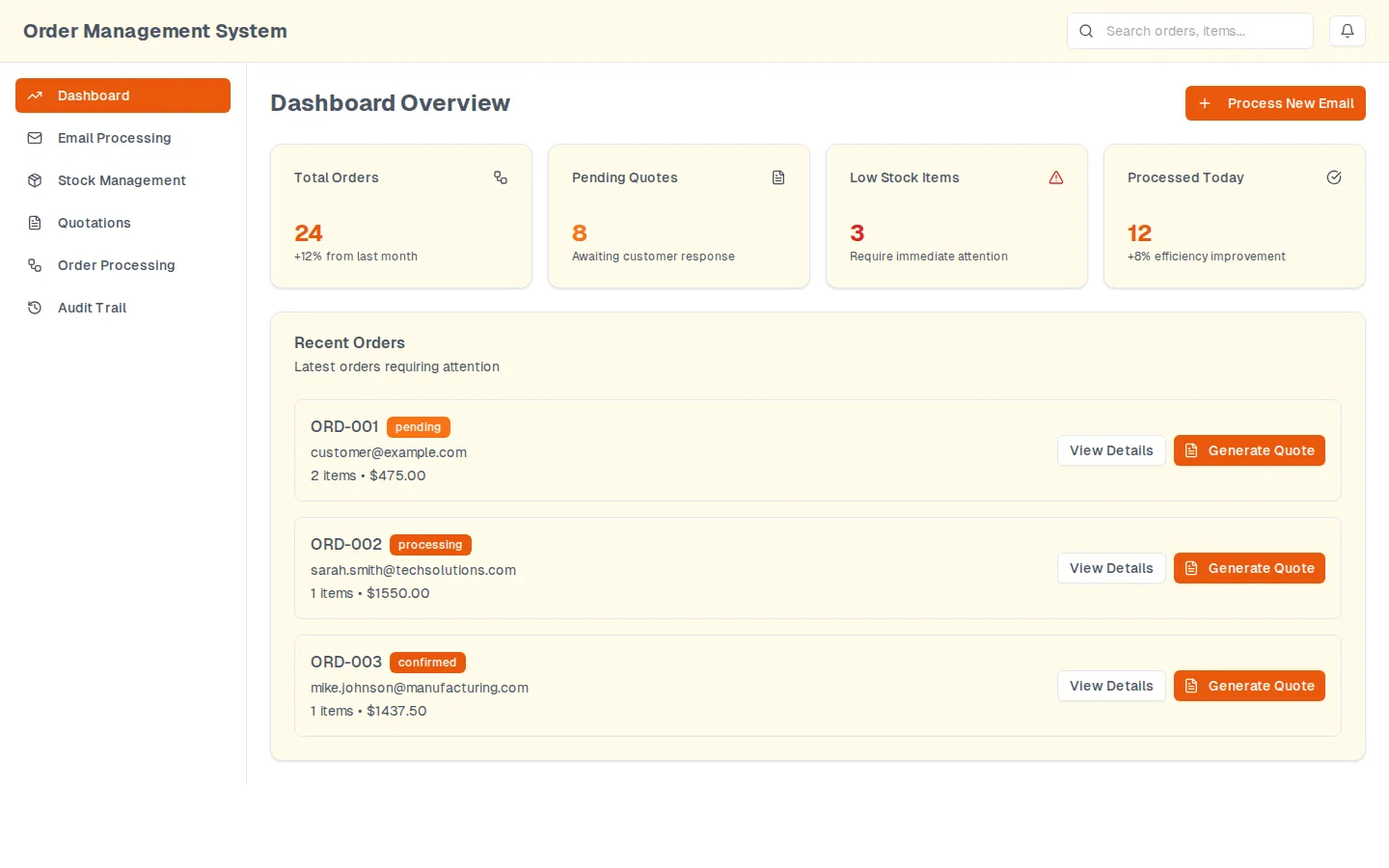
Dashboard
The overview an operator opens first: counters for orders, quotes awaiting a reply, items under their reorder point and messages processed today, over a list of the orders that need a decision. Every figure on it was seeded for the demo. The prototype's own title bar reads Order Management System; this is the intake prototype, not the discovery demo of the same description.
Prototype, sample data. The dashboard, with the demo database behind it.
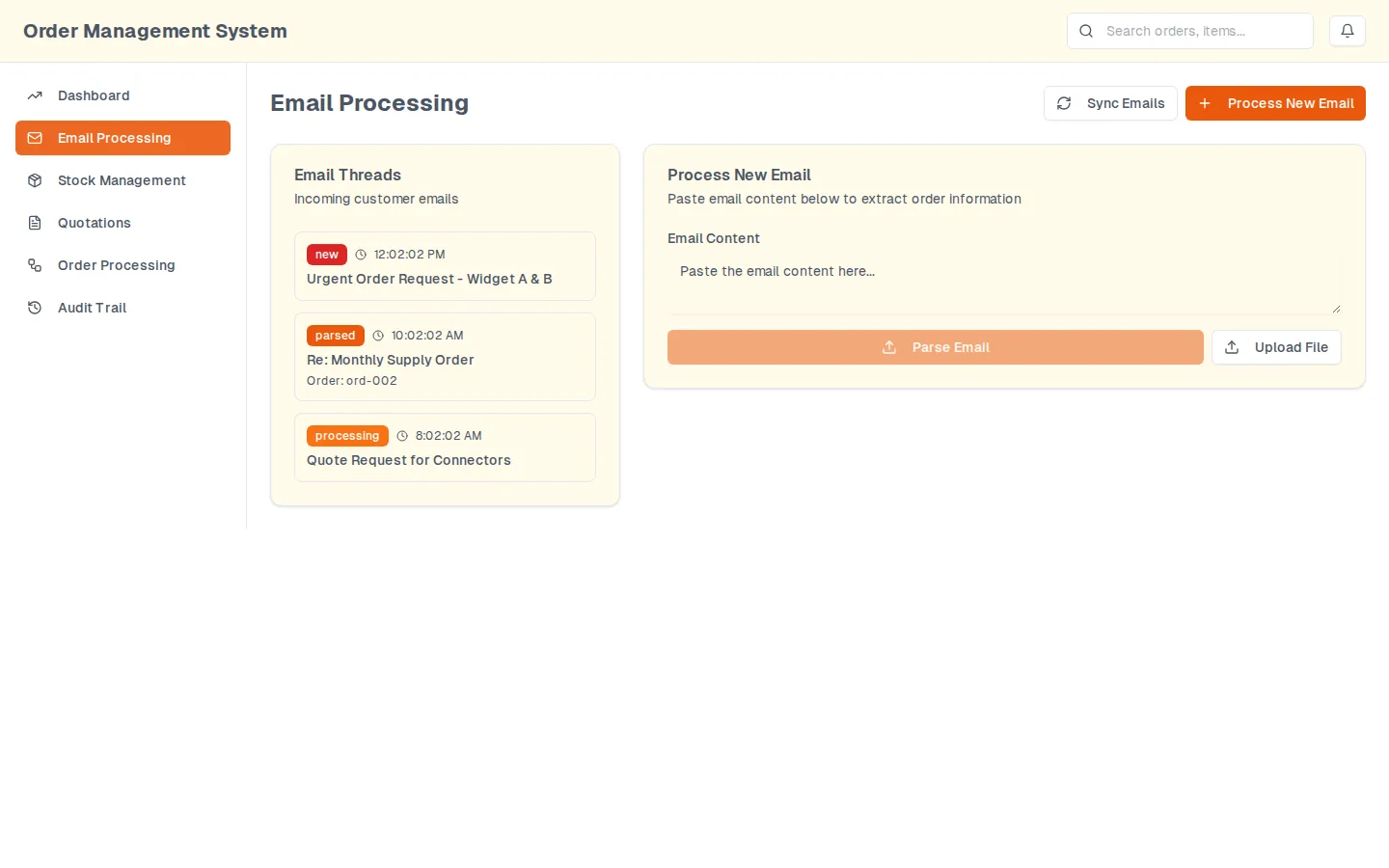
Email processing
The inbox side. Threads on the left each carry a state (new, parsed, processing) and, once parsed, the order they produced. On the right is the box an operator pastes a message into, and the control that takes an attachment instead.
Prototype, sample data. Threads on the left, the parser on the right.
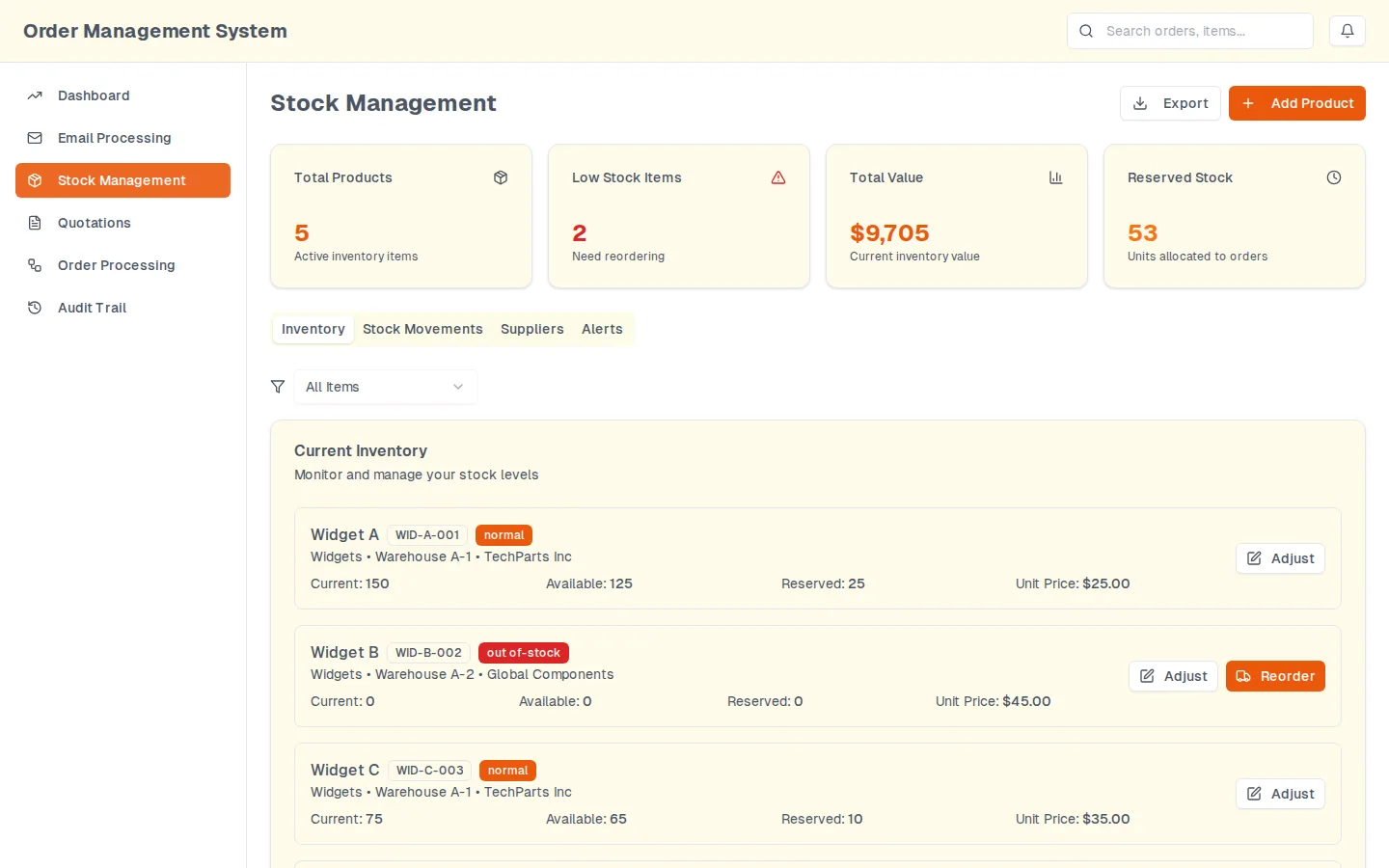
Stock
What an order actually moves. Each item carries three separate quantities, on hand, available and reserved, which is the distinction a spreadsheet usually loses first; the tabs beside it hold movements, suppliers and the reorder alerts.
Prototype, sample data. Inventory, with on hand, available and reserved kept apart.
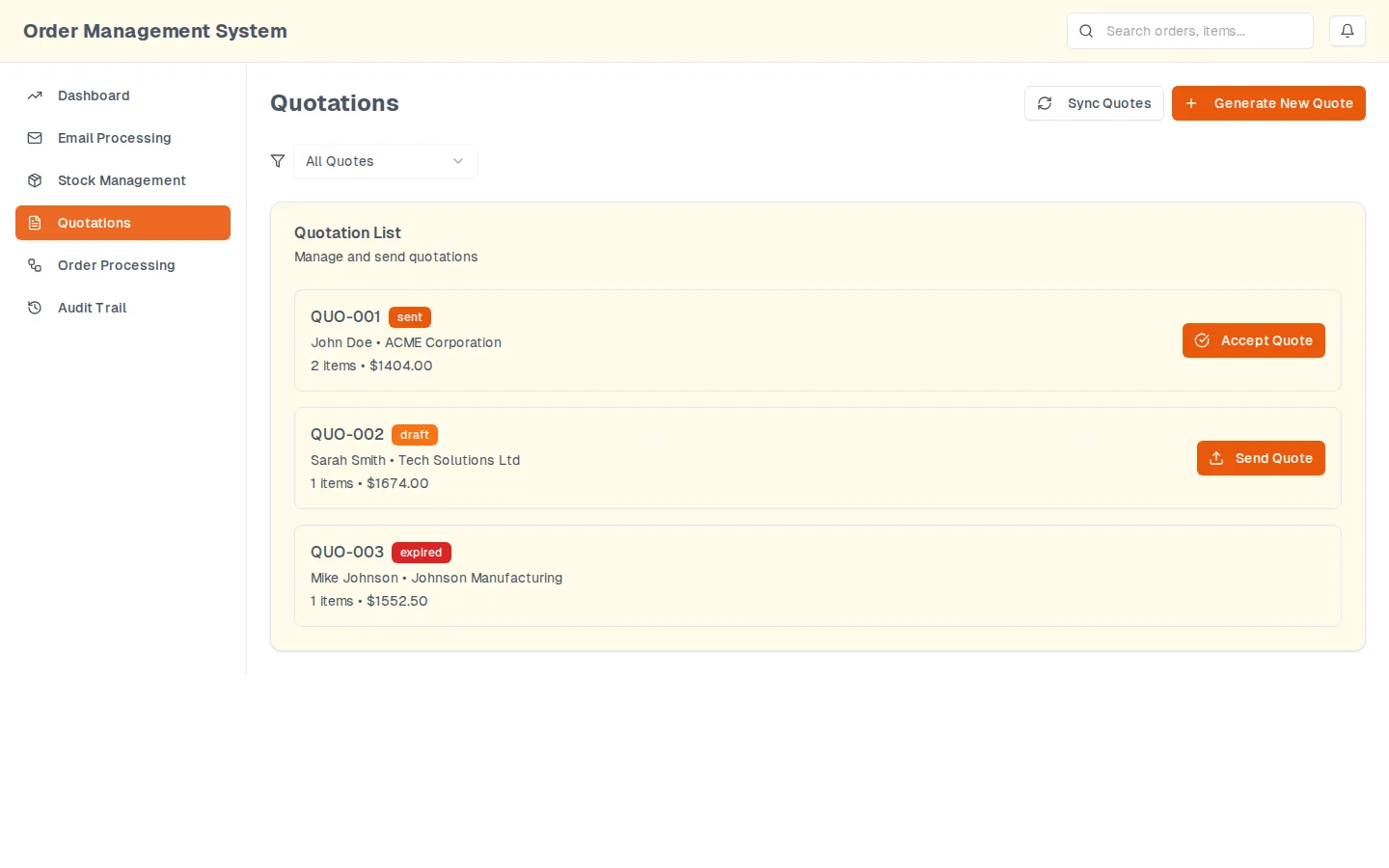
Quotations
The quotes the parsed emails became. The state on each row decides the action offered beside it: a draft can be sent, a sent quote can be accepted, an expired one offers nothing until it is reissued.
Prototype, sample data. One state per quote, and one action per state.
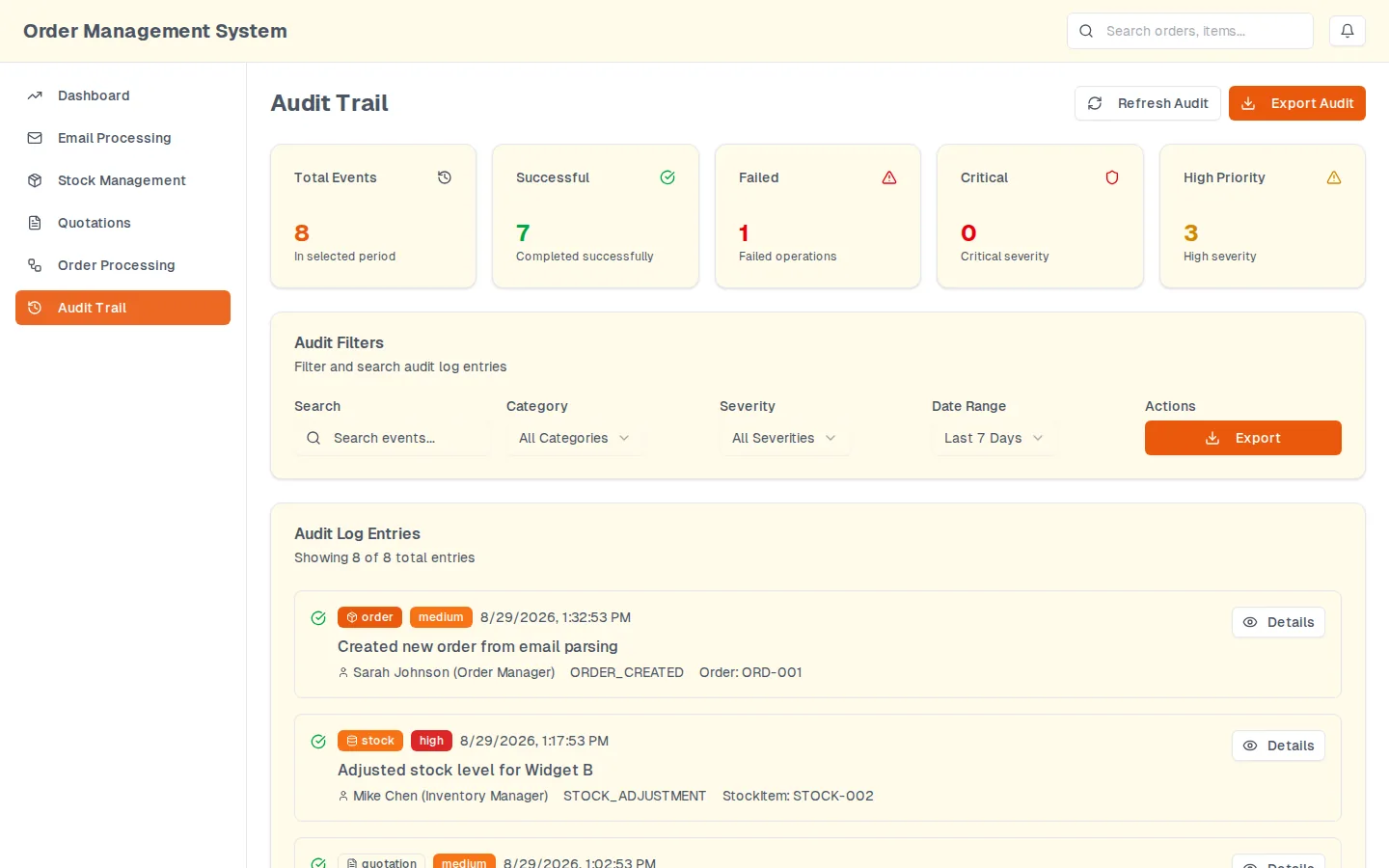
Audit trail
The reason the rest of it is defensible. Every action lands here with the actor, the operation and the record it touched, filterable by category, severity and date, and exportable. The failures are logged beside the successes rather than swallowed.
Prototype, sample data. Every action, with who did it and what it touched.
Screen 1 of 5: Dashboard
Run it yourself.
Not the prototype: a fresh build of the one step worth arguing about, against invented data that lives in this page. It runs in your browser, makes no request of any kind, and stores nothing. Bring your own input if you would rather; it does not leave the tab.
Sample dataThree invented order emails from fictional customers at example.com, and a five item catalogue held in this page. The parse runs in your browser and nothing is sent anywhere.
The message
Load one of the invented messages, or paste one of your own. Real text is fine: it stays in this tab.
A clean order. Everything the parser wants, in the shape it wants it.
A forwarded thread. Three quantity shapes, one item that is out of stock, one line nobody can read.
No order in it. A complaint, not a purchase order. Nothing should be drafted from it.
Headers are skipped. A line beginning with a dash is treated as an order line, and one that cannot be read is reported rather than guessed at.
What the system would do
Sample data
Nothing has been read yet. Load a message and press the button; the result appears here, with the lines it could not read listed beside the ones it could.
What is in it.
A parser that takes the body of an order email, or an attachment, and returns a customer, a reference, a requested date and a set of lines
Line matching against a product catalogue, so a customer's own wording resolves to a stock item or is handed back as unmatched
Stock kept as three separate quantities, on hand, available and reserved, so an order can reserve without pretending it has shipped
Quotations generated from the parsed lines, each with one state and one available action
An audit trail that records the parse, the quote and the reservation, including the ones that failed
Why there is no link.
The running copy is a preview deployment with a generic title and sample rows in its database, which is exactly the thing that gets screenshotted and passed off as a client system. The captures below are from it, and the parser on this page is a fresh, offline reimplementation of the reading step.
Every figure inside these is sample data. We walk you through them live on a call; each card below has a booking link.