Qelv

Back to Labs

Prototype

Morning ads-ops agent

The report is the same every morning: yesterday against the day before, per campaign, with the three or four things worth acting on pulled to the top. It takes a person forty minutes and a spreadsheet. This takes the export.

What it shows you
A recurring manual report removed, in a pattern your team can reuse
On this page
1 capture, and a demo you can run

The demo runs in your browser. Nothing is sent anywhere.

Delivered to a client
Never

Built to settle a scope question. Nothing here is counted as work.
The screens.

Captures of the prototype itself. Every figure on them was seeded for the demo, which is why the frame says so and why the running copy is not linked.

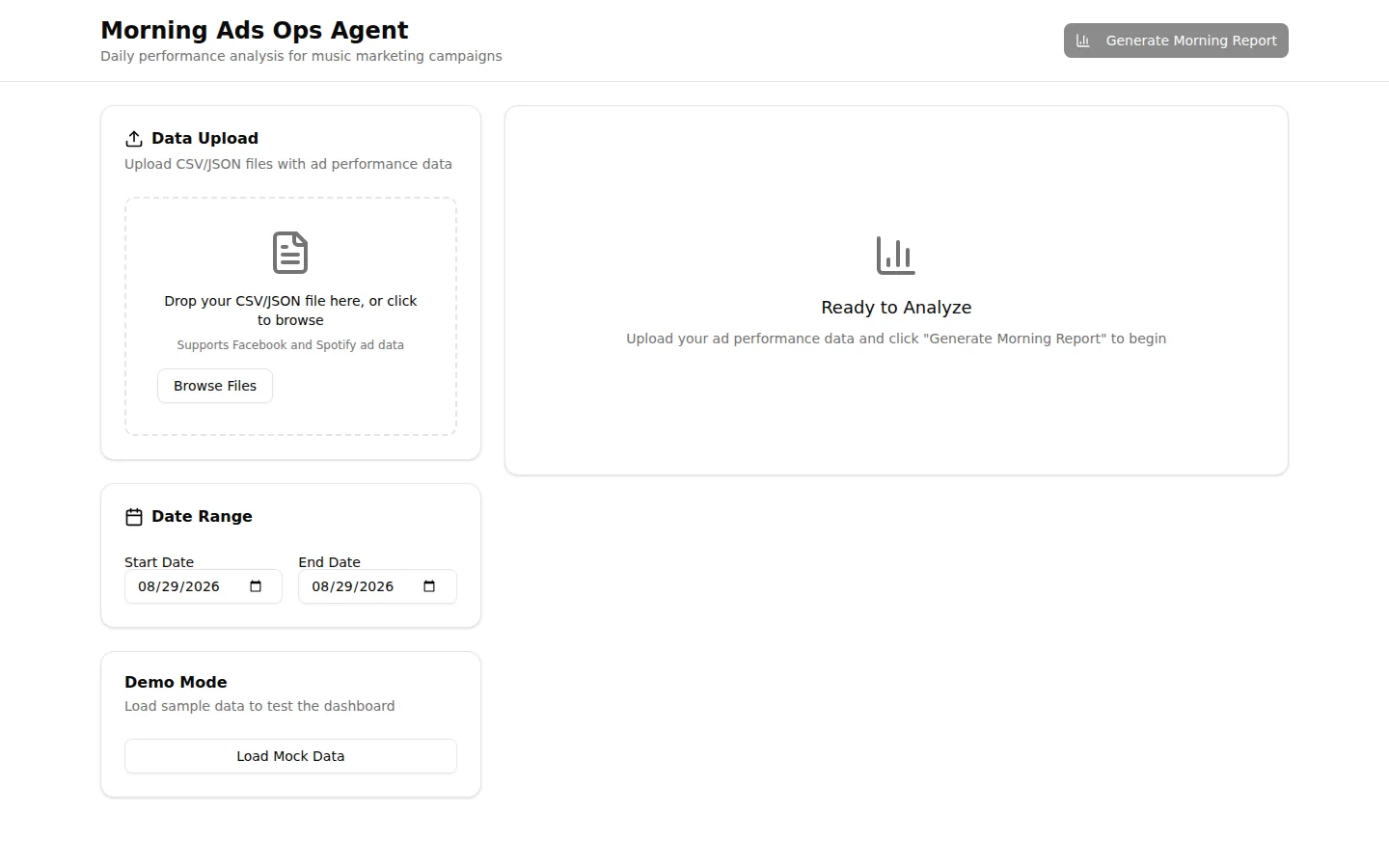
The ads-ops prototype's start screen: a drop zone for a CSV or JSON export, a start and end date, a demo mode button, and an empty report panel
Prototype, sample data. An export goes in here, or the demo data does.

Where the morning starts: a drop zone for the platform export, the date range the report covers, and a demo mode that loads sample rows so the surface can be shown without anybody's real campaign data in it. Nothing is generated until an export is handed over.

Run it yourself.

Not the prototype: a fresh build of the one step worth arguing about, against invented data that lives in this page. It runs in your browser, makes no request of any kind, and stores nothing. Bring your own input if you would rather; it does not leave the tab.

Sample dataTwo invented exports held in this page, with invented campaign names and figures. The report is assembled in your browser; a file you drop is read locally and never uploaded.

The export

Load one of the invented exports, paste your own, or drop a CSV file onto the box. Your own data is fine: it is read in this tab and goes nowhere.

  • Two days, six campaigns. The ordinary case: yesterday and the day before, in the platform's own column order. It trips all four rules and carries one row that will not parse.
  • Same day, columns moved. One day only, columns in a different order, a currency symbol in the spend column and a blank row. The report says it cannot compare rather than comparing against nothing.

A header row, then one row per campaign per day. Columns are matched by name: date, campaign, impressions, clicks and spend are required, conversions and channel are used when present.

What decides the flags

Four rules, printed here rather than hidden behind the output. A flag whose rule you cannot see is a flag you cannot argue with, and on a real account at least one of these is always wrong for you.

  • Spend of $100 or more with no conversions on the day.
  • Cost per acquisition more than 1.4 times the day before.
  • Click-through rate under 1 percent.
  • A campaign that reported the day before and reports nothing now.

The morning report

Sample data

Nothing built yet. Load an export and press the button; the table, the comparison and the rows it could not read all appear here.

What is in it.

  • An import step that accepts the CSV and JSON shapes the ad platforms export, and says which rows it could not read rather than dropping them
  • Per-campaign aggregation: spend, impressions, clicks, click-through rate, cost per click, conversions and cost per acquisition
  • A comparison against the previous day in the same export, where the export covers more than one day
  • A rules pass that pulls out what to look at first: spend with no conversions, cost per acquisition moving against the run rate, click-through rate under the floor
  • A demo mode with sample rows, so the surface can be shown without anybody's real campaign data on screen

Why there is no link.

The running copy sits on a preview host under a name from the engagement it was built during, and its demo mode is the only data in it. Rather than publish that address, the report builder below is a fresh implementation of the same arithmetic, running entirely in this browser.

Every figure inside these is sample data. We walk you through them live on a call; each card below has a booking link.

Where to next

Want one of these built around your own workflow?

A working version in two weeks. Not a specification document, not a deck: something your team can click and argue with.

We reply within two business days. If it is a fit, you get a one-page note on what to do first, before any sales call.